
How to Search Cases by Name
No local portal lets the public name-search every Cochran County trial court. The Texas Courts case-search guidance points you to the clerk or court holding the file instead. Lisa Smith holds two titles. She is County Clerk and District Clerk, and each desk keeps its own set of records. County court and probate searches belong to the County Clerk. District civil, criminal, family, and juvenile cases go to the District Clerk. Both sit in Room 102 at the Cochran County Courthouse.
A name is a weaker key than a cause number. Give the clerk the spelling on the filing and a range of filing years. Add the likely court and the case category. Skip extra personal details. A narrow public-record request helps the clerk tell similar names apart. It also helps her find the index entry fast.
- Identify the court level from the case type and issuing authority.
- Collect the filed name, likely year, and case category.
- Call the proper clerk and ask whether an index search is offered by phone, counter, or another approved channel.
- Use any result to obtain the exact cause number.
- Confirm whether the result is public, restricted, or not digitized.
Note: A name match only flags a possible file. It proves nothing about identity, liability, guilt, or the final outcome.
Cochran Case Search Starting Point
Work court-first, not portal-first. For the 286th Judicial District Court, call the Cochran County District Clerk at 806-266-5450. The same number reaches the County Clerk for constitutional county court and probate records. Countywide Justice Court cases go to 806-266-5302. Morton Municipal Court handles its city citations at 806-266-8850. Whiteface lists 806-287-1111 as its last official court number. Call ahead to confirm it still works.
This routing avoids a common dead end. The shared 286th District also serves Hockley County from a principal office in Levelland. Yet a case filed there can still be a Cochran County case. Ask for the Cochran County file and name the court level. The district line handles courtroom administration; the clerk keeps the record.
| Case type | First contact | Search route |
|---|---|---|
| District civil, criminal, family | District Clerk | Room 102 or 806-266-5450 |
| County court or probate | County Clerk | Room 102 or 806-266-5450 |
| Countywide Class C or small civil | Justice Court | Room B-4 or 806-266-5302 |
| City citation or ordinance | Municipal court | Contact the named city court |
How to Search by Case Number
The cause number is the identifier the court assigned. It is the strongest Cochran County case lookup key. Copy every dash, letter, and suffix exactly as the notice shows them. Cochran County publishes no official format you can safely copy. So never reshape a number into a pattern you invented. Quote the complete cause number as filed along with the court name.
Ask the maintaining clerk to confirm the number belongs to a Cochran County docket. Then name the item you want: a docket sheet, register of actions, signed order, judgment, hearing notice, or certified copy. No match? Check for a misread character or a dropped suffix. The citation may also still sit in a municipal court or Justice Court. Older court records may not be digitized. A blank online result does not prove a case never existed.
Cochran Citation Search Fields
The OCA Citations and Notices General Search covers a narrow class of public notices. It is not a full Cochran County docket index. Enter the cause number and court name when you have them. A free-text search supports the wildcard suffix the interface describes. Results may link to notice documents. A blank result does not clear a case or citation.
| Field label | Type | Required | Use |
|---|---|---|---|
| Enter text to search | Free text | Not established | Use a few terms; a trailing wildcard is described |
| Name | Respondent, estate, or property | Not established | Refine a public notice search |
| Cause Number | Text | Not established | Best exact key when known |
| Court/County | Filter | Not established | Narrow to Cochran County |
| Status | Filter | Not established | Limit results by offered status |
The result columns read Name, Cause Number, Court/County, Status, and Action. The tool posts no export or pricing terms and no claim of complete Cochran coverage. Treat any hit as a lead, then confirm the court record with the named court.
What a Case Search Shows
A Cochran County case search can return several levels of detail. An index may show only that a case exists. A docket or register lists entries in order. A document image shows the filed paper itself, if it is public and digitized. None of these counts as a certified copy automatically. Think of the list as fields to verify, not a promise that one screen shows every item.
| Cause number | The exact court identifier, including punctuation and suffixes. |
|---|---|
| Court and county | The assigned tribunal and Cochran County filing location. |
| Case category | Civil, criminal, family, probate, juvenile, traffic, or another type. |
| Filed date and status | When the clerk accepted the case and its current state. |
| Docket entries | Dates and descriptions of filings, settings, orders, and events. |
| Hearing setting | Date, time, judge, court, and location when public. |
| Document access | Index-only, viewable, paid, certified, restricted, or not digitized. |
Status words on a Cochran County docket deserve a careful read. A reset only means the court picked a new date; it is not a dismissal. The filing date shows when paperwork reached the clerk. That may differ from when a judge signed it, and a docket entry is just a summary of the signed order rather than the order itself. Need something for a legal purpose? Ask the clerk for the actual public document.
re:SearchTX Coverage in Cochran
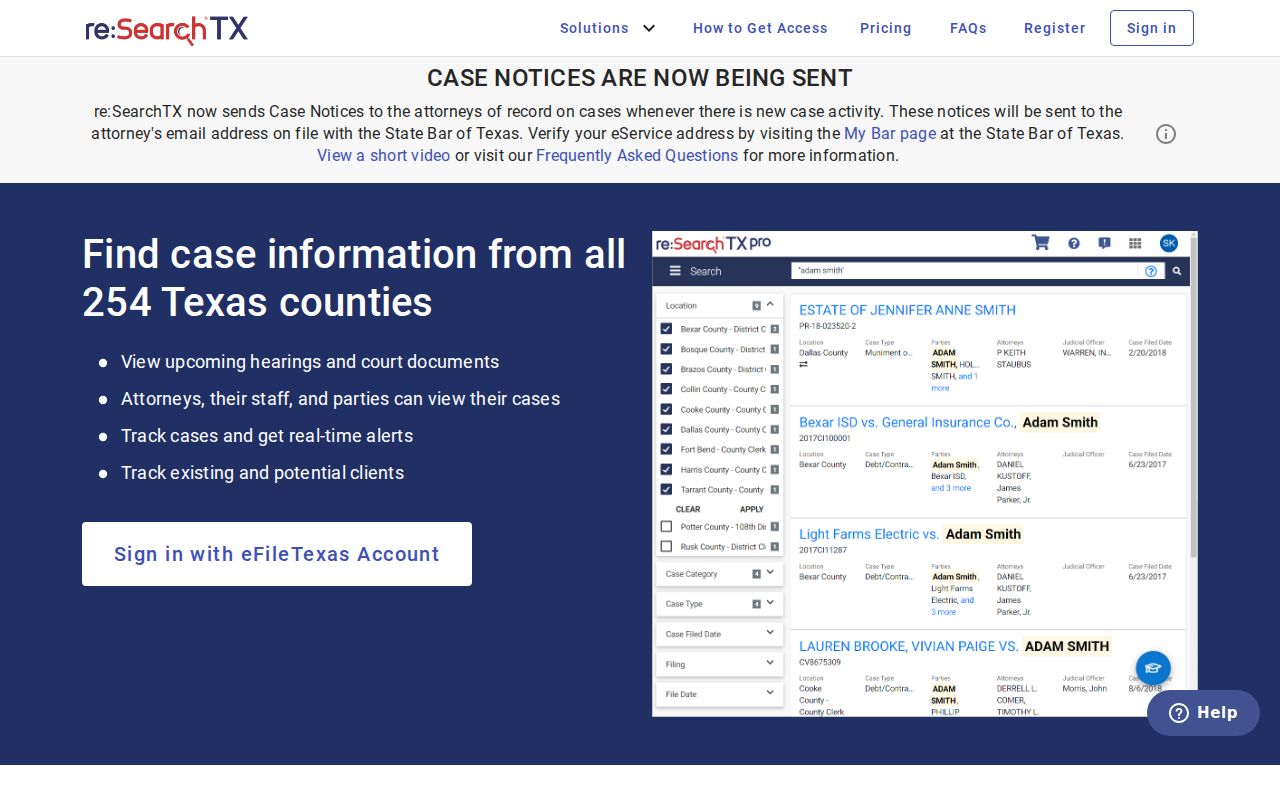
re:SearchTX serves as Texas's shared electronic repository for the courts. State materials describe it as role controlled. It can pull in local case data and filings from participating counties. What they do not promise is full Cochran County coverage for an ordinary public account. The public side turns away anonymous visitors with an access-denied notice. The Cochran filters, result fields, and document tabs remain unknown territory.
Integration across the state is a goal, not a guarantee that any one county has finished the job. A public user typically sees less than the parties do. Older filings or excluded document classes may never surface. Treat re:SearchTX as a cross-check at best. Confirm any key docket entry with the Cochran clerk before relying on it. State materials cite a public-document charge of ten cents per page with a one-dollar minimum. The pricing you see on screen governs.
The captured re:SearchTX entry screen records the access condition found during the Cochran County case lookup review.
County vs Statewide Case Search
Texas publishes no single official search that reaches every trial-court case. A Cochran County clerk search, by contrast, anchors to a known local court and can reach court records that never made it online. re:SearchTX adds a statewide electronic layer, but its local depth varies by county. OCA Citations and Notices covers a narrower slice. eFileTexas handles filing, not public lookup.
| Channel | Coverage | Best use |
|---|---|---|
| Cochran clerk or court | The record family that office keeps | A local case, historic file, copy, or certification |
| re:SearchTX | Integrated records with role limits | A statewide cross-check when access works |
| OCA Citations and Notices | Certain citations and notices | A cause-number or court notice search |
| eFileTexas | Electronic filing service | Submitting a filing, not searching a docket |
The county land-record portal sits apart from all of this. It indexes recorded property documents rather than court cases. A deed index simply cannot tell you whether a Cochran County lawsuit is pending.
When Cochran Portals Fail
When an online tool fails or comes up short, pick up the phone. Call the right office. Ask whether the clerk can run an index search from a cause number or a date range. A case category or a filed name works too. Published phone, fax, and email contacts do not guarantee that every request fits every channel. Sort out the method, fee, payment, and delivery before you send anything.
For a counter search, go to Room 102 at 100 North Main Street in Morton. Hours run Monday through Thursday, 8 a.m. to noon and 12:30 to 5 p.m. Friday hours are 8 a.m. to 2 p.m. Call ahead before you drive over, and ask whether a public terminal exists. No official page promises terminal access or scanning. If the file is not digitized, staff may still retrieve it. They can send a plain or certified copy.
Keep the request narrow: Ask for a docket or register and one named order for a specific cause number. Broad personal-data requests cause delays and privacy risks.
Restricted Cases and Access Rules
Public access never means every case or document is open. Texas Rule of Civil Procedure 76a starts from an openness principle, but other laws and valid court orders can close the door. Family Code Chapter 58 shields juvenile material. Health and Safety Code Chapter 571 limits mental-health records. Family and protective-order files can hold child details, addresses, finances, or medical facts.
A public index may skip a restricted file entirely. It may also show less than the clerk actually holds. Never try to rebuild an expunged, nondisclosed, sealed, or juvenile record from sideways sources. If access is denied, ask which statute, rule, or order applies and whether a redacted or index-only copy can be released. The Texas Judicial Branch access policy explains that court records answer to court rules, statutes, and common law rather than the usual Chapter 552 route.
Use Cochran County case data to follow a case. Confirm a court date. Understand a filing. Or conduct responsible public and historical research. Never publish private identifiers. Verify material facts with the originating clerk.
Cochran Property Index Is Different
The Cochran County official-records search indexes recorded property documents, not the court docket. Its search controls can look deceptively like a case portal. A deed or lien index cannot answer that. It cannot tell you whether a lawsuit, judgment, hearing, or criminal case is pending. Need a court file? Take the County or District Clerk route instead.